
IT support and networking basics
IT support and networking basics is a free, beginner online course from Herizon.
Learn first-line IT support from one worked week: tickets, a troubleshooting method, IP addresses, DHCP, DNS, ports, VPN, Wi-Fi, safe account resets and remote sessions, and where Cisco certificates and penetration testing fit.
You finish with IT Support, Computer Networking and Troubleshooting added to your Herizon profile.
Free · 1 h 12 min read · certificate when you pass the quiz · part of IT support and infrastructure · last updated 9 November 2026
Free account, about two minutes. You can join if you live in the EU, EEA, UK or Switzerland, or a partner organisation invited you.
Already have an account? Open it in the portalA look inside the course
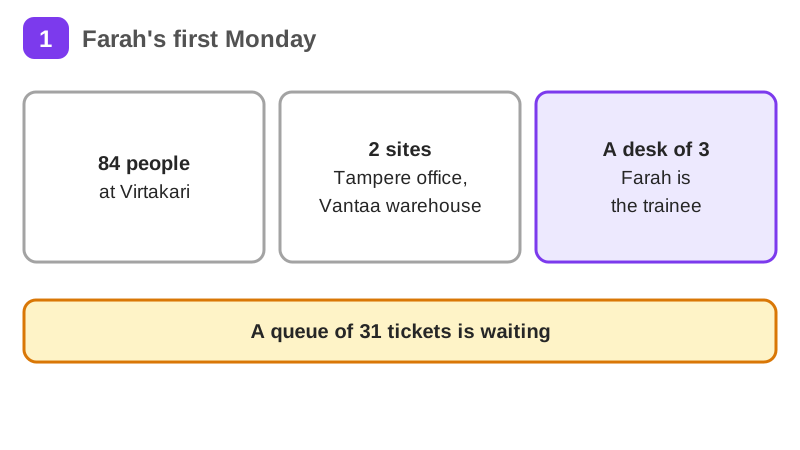
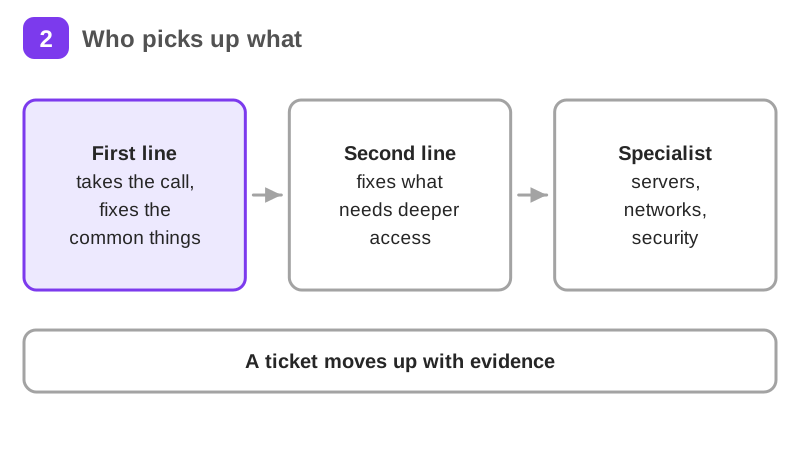
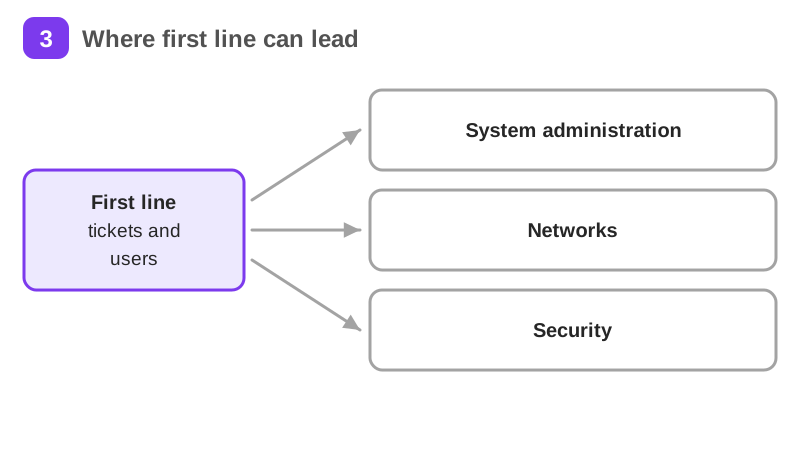
It is Monday morning at Virtakari, a Finnish wholesaler of electrical supplies. Farah starts her first week as a first-line IT support trainee. Farah, Jari and Virtakari are a worked example, not real people or a real company, and every figure and address is invented to teach.
It takes about 1 h 12 min of reading, plus exercises, a short quiz and a practice task. It teaches IT Support, Computer Networking and Troubleshooting. Pass the short quiz at the end to get a certificate.
What you will be able to do
Who it is for
Anyone who is thinking about a move into IT support, or who wants to understand the network they use every day. No IT background is needed. Finnish helps a lot in first-line work, and the course is honest about that.
The situation you work through
Farah, a first-line IT support trainee at Virtakari, an invented Finnish wholesaler with 84 people on 2 sites, takes ticket 4127 that says the internet is down, finds 9 warehouse laptops with self-assigned addresses because 118 devices want a DHCP scope of 100, then works through a moved server held in DNS cache for 60 minutes, a firewall rule naming the old server, a VPN range clash, weak Wi-Fi in the packing bay, 2 new starters, a caller claiming to be the finance director and a remote session.
Your practice task
Build a one-page IT support pack without real names, public IP addresses, device serial numbers or passwords. Map a network you are allowed to use, your home or a phone hotspot, with read-only commands: your address, gateway, DNS and lease, or use the sample sheet on the last page if you have no laptop. Write three tickets that another person could pick up, with who, what, since when, how many are affected and priority. Diagnose the four printed mystery faults, say which layer each one sits at, what you tested and what you would tell the user. Write the steps for a safe account reset and a remote session, including how you check who is calling. Pick one next step, such as a certificate or a job ad you could apply for, and say why.
Key topics
- What first-line IT support does
- A ticket someone else can pick up
- Troubleshooting from the bottom up
- IP addresses and the gateway
- DHCP: where the address comes from
- DNS: names and numbers
and 8 more pages
What you get when you pass
A certificate with your name, the course and the date. Sharing it is your choice. If you share it, it has a public link that anyone can open to check it, and you can add it to LinkedIn.
Common questions about IT support and networking basics
- Is IT support and networking basics free?
- Yes. The course is free with a Herizon account, and the account is free too.
- How long does IT support and networking basics take?
- It takes about 1 h 12 min of reading, plus exercises, a short quiz and a practice task. You can stop and continue later, because the portal keeps your place.
- Do I get a certificate?
- Yes. Pass the short quiz at the end to get a certificate you can share, for example on LinkedIn.
- What do I need to start?
- A free Herizon account. The course is written at beginner level.
- Who can join Herizon?
- You can join if you live in the EU, EEA, UK or Switzerland, or a partner organisation invited you.
- Who is IT support and networking basics for?
- Anyone who is thinking about a move into IT support, or who wants to understand the network they use every day. No IT background is needed. Finnish helps a lot in first-line work, and the course is honest about that.
Start IT support and networking basics free
Start this course freeCommon questions about IT support and networking basics
- Is IT support and networking basics free?
- Yes. The course is free with a Herizon account, and the account is free too.
- How long does IT support and networking basics take?
- It takes about 1 h 12 min of reading, plus exercises, a short quiz and a practice task. You can stop and continue later, because the portal keeps your place.
- Do I get a certificate?
- Yes. Pass the short quiz at the end to get a certificate you can share, for example on LinkedIn.
- What do I need to start?
- A free Herizon account. The course is written at beginner level.
- Who can join Herizon?
- You can join if you live in the EU, EEA, UK or Switzerland, or a partner organisation invited you.
- Who is IT support and networking basics for?
- Anyone who is thinking about a move into IT support, or who wants to understand the network they use every day. No IT background is needed. Finnish helps a lot in first-line work, and the course is honest about that.
More in IT support and infrastructure
- Cybersecurity fundamentals1 h 3 min · 11 pages
- Cloud fundamentals54 min · 11 pages
- DevOps fundamentals: Docker, CI/CD, Kubernetes and Terraform52 min · 10 pages
- Workplace Finnish42 min · 8 pages