
Cybersecurity fundamentals
A practical introduction to staying secure online and at work: passwords, phishing, device security, encryption, GDPR, and how a security career actually starts in the Nordics.
37 min · 11 pages · practice task · quiz · part of Technical founder
Sponsor this courseWhat you will be able to do
Skills you add to your Herizon profile when you finish: Cybersecurity, Information Security.
Who it is for
Anyone who uses email, a laptop and online accounts, which is everyone. It is most useful if you handle money or client data at a small company, or are thinking about a move toward security, GRC or IT support in Finland or Sweden. No coding or IT background is needed.
The situation you work through
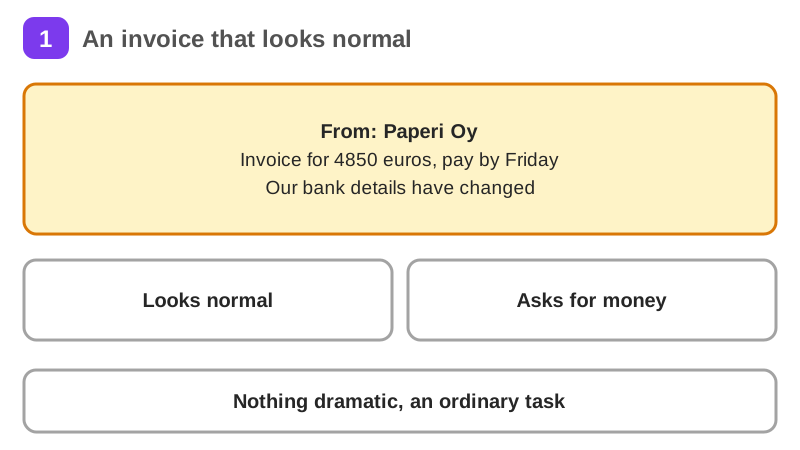
Aino, who runs admin and payments at Kuusi Studio, a Helsinki design studio with 14 people, receives a fake supplier invoice for 4,850 euros, types her password into the fake sign-in page, stops at the code step and tells the owner within 5 minutes, then hardens the team's accounts.
Your practice task
Run your own security drill for a small team, club or household you know. Read one scam message step by step: real sender, where the link goes, the urgency and the callback you would make. Write the first minutes after a click. Build a hardening list in order of value with an owner for each item: password manager, MFA, updates, disk encryption, backup and offboarding. Answer four privacy questions for one tool: what is collected, where it lives, who sees it and when it is deleted. Submit it as one page without real names.
What is inside
- The security mindset
- Passwords, MFA, and identity
- Phishing and social engineering
- Securing your devices and accounts
- How the web gets attacked
- Encryption and networks in plain terms
and 5 more pages
Finish with a short quiz to earn your certificate.
More in Technical founder
- Vibe coding: build a small app with an AI coding tool27 min · 12 pages
- Building apps with Lovable26 min · 10 pages
- Git & GitHub for beginners38 min · 11 pages
- Getting started with Claude Code30 min · 15 pages
- Web development fundamentals50 min · 11 pages
- API fundamentals49 min · 11 pages
- AI engineering fundamentals58 min · 12 pages
- Supabase: build a backend without backend code43 min · 11 pages
- Vercel: deploy and ship fast26 min · 11 pages
- Cloud fundamentals31 min · 11 pages
- Build your own bot with the Grok API36 min · 11 pages
- AI coding assistants: GitHub Copilot and OpenAI Codex22 min · 11 pages
- Take payments with Stripe29 min · 11 pages
- Cloudflare for small projects: domains, DNS and Workers25 min · 10 pages
- Build apps with v0 and Bolt37 min · 11 pages