
Excel for office and data jobs
Learn the Excel skills office and data jobs ask for, starting free in Excel for the web. Covers tables, core formulas, XLOOKUP, FILTER, UNIQUE and LET, PivotTables, charts, Power Query basics, cleaning data, Finnish-language Excel, Copilot in Excel and the Excel exams.
30 min · 12 pages · practice task · quiz · part of Data analyst
Sponsor this courseWhat you will be able to do
Skills you add to your Herizon profile when you finish: Microsoft Excel, Data Cleaning, Data Visualization.
- Which free and paid ways in exist, and what Excel for the web cannot do
- How to turn an export into a table that formulas and PivotTables can use
- Core formulas, then XLOOKUP, FILTER, UNIQUE and LET
- PivotTables, charts, Power Query basics and cleaning habits
- How Finnish-language Excel changes function names and separators
- What Copilot in Excel needs, and why you check its numbers
- The Excel Associate and Expert exams, and what you can put on a CV
The situation you work through
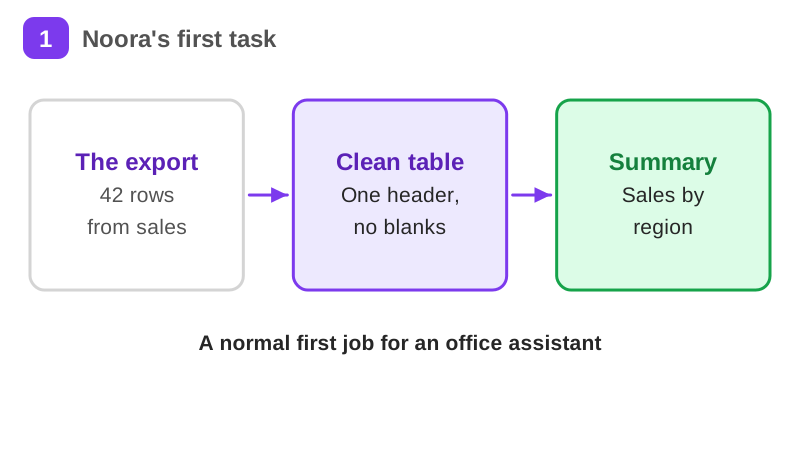
Noora is in her first office assistant job at a small wholesaler in Jyväskylä. She cleans a 42-row sales export, looks up product names with XLOOKUP, builds a PivotTable and a chart of sales by region, and writes her formulas in English and Finnish syntax.
Your practice task
Make a sample sales dataset of at least 30 rows with made-up data and no real customer details, in the columns A Order, B Date, C Region, D Product code and E Amount. Add a blank row, a repeated order and an amount typed as text on purpose, then clean a copy and format it as a table. Add one XLOOKUP that returns a product name from a small Products sheet and test it with a missing code. Build one PivotTable with total amount by region, then one chart from it. Write each formula in both English and Finnish syntax. Submit the three problems you added and how you fixed each, your XLOOKUP in English and in Finnish syntax, the PivotTable fields you used, the chart title and type, and one check that caught a mistake.
What is inside
- What Excel is for
- Tables and the export
- Core formulas
- XLOOKUP
- FILTER, UNIQUE and LET
- PivotTables
and 6 more pages
Finish with a short quiz to earn your certificate.
More in Data analyst
- Data analytics fundamentals41 min · 11 pages
- SQL & data analysis49 min · 10 pages
- Python for beginners53 min · 11 pages
- Desk research that actually informs decisions28 min · 11 pages
- Machine learning fundamentals36 min · 11 pages
- Power BI basics for data roles27 min · 12 pages