
Power BI basics for data roles
A practical course for people heading into data roles that use Power BI. Covers who can use it, connecting and cleaning data, the data model, DAX basics, a one-page report, publishing at work, Copilot and the PL-300 exam.
27 min · 12 pages · practice task · quiz · part of Data analyst
Sponsor this courseWhat you will be able to do
Skills you add to your Herizon profile when you finish: Power BI, Power Query, DAX.
- What Power BI Desktop and the Power BI service are, and who can use which
- Connecting data and cleaning it in Power Query
- A data model: dimension and fact tables, and a relationship
- DAX basics: a measure, SUM and CALCULATE
- Visuals and a one-page report
- What publishing, licences and sharing look like at work
- What Copilot in Power BI needs, and why most learners cannot try it
- The PL-300 certification: length, pass mark, languages and renewal
The situation you work through
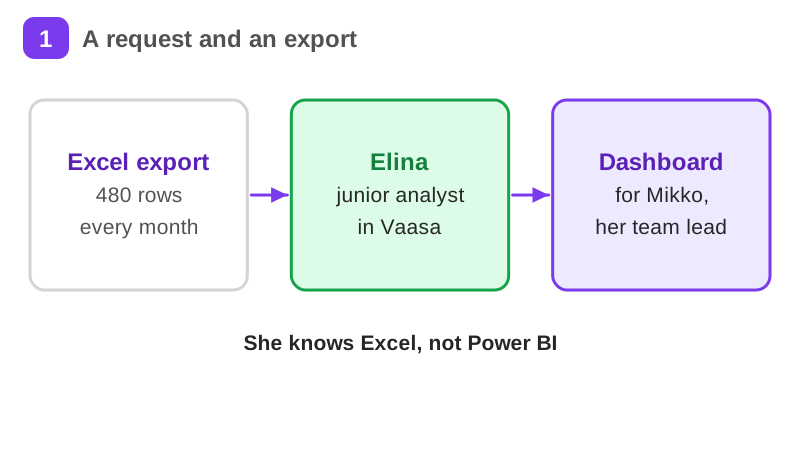
Elina, a made-up junior analyst at a Vaasa distributor, builds a monthly sales dashboard in Power BI Desktop for her team lead from an Excel export.
Your practice task
Build Elina's report with your own safe data in Power BI Desktop, with nothing published. Create a .pbix with one cleaned table (at least one real Power Query step), one relationship to a small second table, two measures (one with SUM, one with CALCULATE) and a one-page report with a card, a chart by category, a chart over time and a slicer. Submit your .pbix or a screenshot of the report page, screenshots of the Power Query steps, the relationship and both measures, a short note on what you would publish at work, to whom, which licence they would need and which data must never be published, and one thing that went wrong when you checked and what you changed. If you cannot get Windows, submit the same plan as text instead.
What is inside
- What Power BI is and why analysts use it
- Who can use what: the access reality
- Connect your data
- Clean the data with Power Query
- The data model and relationships
- Your first DAX measure
and 6 more pages
Finish with a short quiz to earn your certificate.
More in Data analyst
- Data analytics fundamentals41 min · 11 pages
- Excel for office and data jobs30 min · 12 pages
- SQL & data analysis49 min · 10 pages
- Python for beginners53 min · 11 pages
- Desk research that actually informs decisions28 min · 11 pages
- Machine learning fundamentals36 min · 11 pages