
Figma basics for UX and product roles
A hands-on course for people switching into UX or product. Learn the Figma tool on the free Starter plan: files and frames, shapes and text, auto layout, a component with variants, a clickable prototype, FigJam, comments, handing designs to a developer without Dev Mode, and the AI features with their credits and data settings. You end with a portfolio project for your CV.
25 min · 10 pages · practice task · quiz · part of Product manager
Sponsor this courseWhat you will be able to do
Skills you add to your Herizon profile when you finish: Figma, Prototyping in Figma, UI Design.
- A clickable 3-screen prototype in Figma, shared by a link
- One component and one auto layout container you built yourself
- A FigJam map of the old flow you redesigned
- A handoff package for a developer, built without Dev Mode
- A short case study you can link from your CV
Who it is for
Time per page: 15 to 25 minutes Whole course: 3 to 4 hours (10 pages, at your own speed) This is for you if you are: - Switching into UX, product or design - A jobseeker whose ads say "Figma" - A product, marketing or project person who needs to open and comment on designs You need a free Figma account and no design experience. Figma Starter is enough for everything here. The free education plan is for students at a school or approved bootcamp, and it is not for self-study. ---
The situation you work through
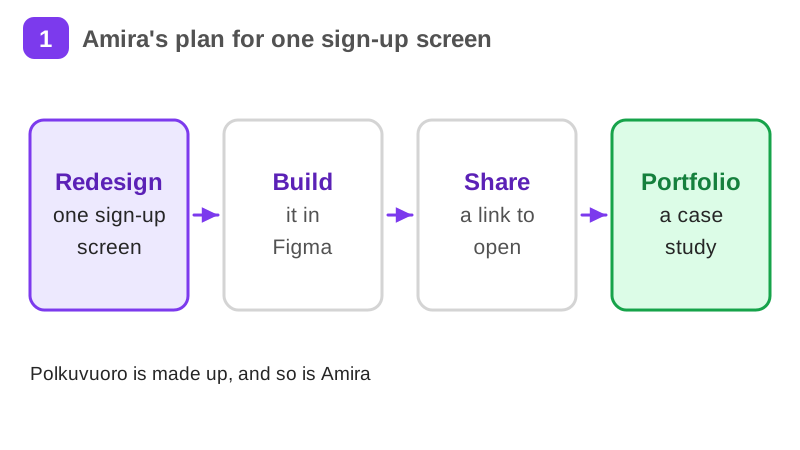
Amira, a made-up former teacher in Espoo switching into UX, redesigns one sign-up screen of Polkuvuoro, a made-up bike-share service in Helsinki: a FigJam map of the old flow, three connected screens with auto layout and one component, a shared link and a developer handoff.
Your practice task
Redesign one sign-up or booking screen of a Finnish service as a clickable 3-screen prototype in Figma, with real Finnish content, auto layout on at least one container and one component with a default and a disabled variant. Share it with the access your Share dialog offers, add comment access if it is available, and test the link in a private window. Submit the prototype link, a picture or link of your FigJam map of the old flow, and a short case-study note: the problem, the old flow, your three screens, one design decision with the reason, and what you would test next.
What is inside
- What Figma is and what the free plan gives you
- Files, pages and frames
- Shapes and text: build the Details screen
- Auto layout: let the screen arrange itself
- Components and variants: one button, two states
- A clickable prototype of three screens
and 4 more pages
Finish with a short quiz to earn your certificate.
More in Product manager
- Product management essentials42 min · 11 pages
- Project management essentials32 min · 11 pages
- Agile and Scrum in practice19 min · 7 pages
- UX design fundamentals37 min · 12 pages
- Jira and Confluence for product and project roles26 min · 12 pages
- Linear for product and engineering teams21 min · 10 pages