
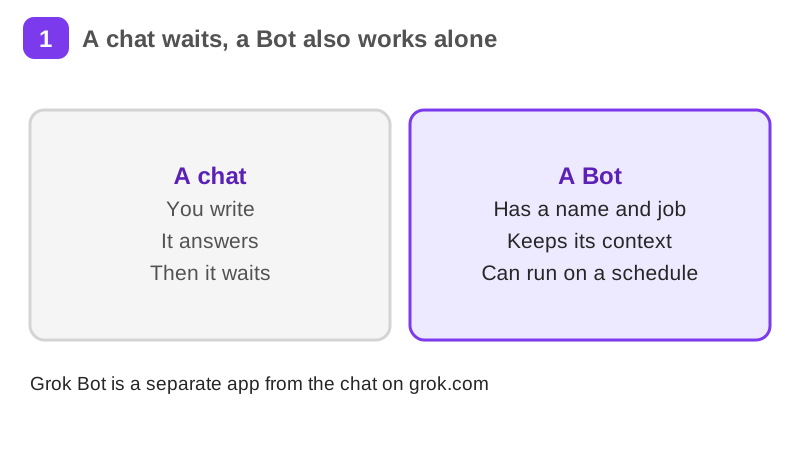
Grok Bot: an AI teammate that works while you don't
Set up a Grok Bot, an AI teammate that works on its own cloud computer. You learn what it is, how plans and usage work, how to write its first message and a routine, how to give it files and tools safely, how to review its work, how Team Bots and Slack work, and what is not available in Finland.
26 min · 11 pages · practice task · quiz · part of Work with AI
Sponsor this courseWhat you will be able to do
Skills you add to your Herizon profile when you finish: AI Agent Tools, Workflow Automation, Prompt Engineering.
- Explain what a Bot is and how it differs from a chat
- Write the first message and one routine for a Bot that does a recurring task
- Decide what files, apps and logins to give it, and what to keep back
- Set a review rule for what it may do alone and what it must ask about
- Judge the privacy limits, including what is not available in Finland
Who it is for
Time per page: about 15 minutes Whole course: about 3 hours (11 pages, at your own speed) This is for you if you are: - Looking for work and repeating the same search every morning - A freelancer who tracks leads, invoices or replies by hand - Curious about AI agents but unsure what is safe to hand over You need no technical background. Access to Grok Bot depends on your plan, so the last page works on paper if you do not have it yet. ---
The situation you work through
Salma, a freelance copywriter in Vantaa who is also looking for an in-house role, sets up a personal Grok Bot named Scout: a first message with five parts, a weekday morning routine that sends a job-posting digest, an email address for job alerts and a review rule for what it may do alone.
Your practice task
Plan a Bot for one recurring task of your own. Write the instructions you would send it, using the five parts: outcome, sources, constraints, deliverable and review point. Write one routine with its day, hour, where it keeps what it has done and how you will test it. Write your review rule as two lists, ask first and allow automatically, and one line on the data you will keep away from the Bot. Submit the instructions word for word, the routine, the review rule, the privacy line and three sentences on what the Bot does, what you keep for yourself and what you would check in the app first.
What is inside
- An AI teammate that works while you don't
- Getting access and understanding usage
- Create a Bot and give it a job
- Give it files, tools and logins
- A routine that runs on its own
- The Bot's email address
and 5 more pages
Finish with a short quiz to earn your certificate.
More in Work with AI
- Understanding AI49 min · 15 pages
- Using AI responsibly at work24 min · 10 pages
- Getting started with Claude31 min · 16 pages
- No-code automation with n8n35 min · 11 pages
- Using Grok for work and the job search22 min · 10 pages
- Working with AI agents: dots, Muse and Grok Bot25 min · 11 pages
- Notion for teams and your job search29 min · 11 pages
- ChatGPT at work25 min · 12 pages
- Gemini Notebook: research from your own sources20 min · 10 pages
- Microsoft Copilot at work21 min · 10 pages
- Granola: AI meeting notes without a bot29 min · 12 pages
- Mistral Vibe (formerly Le Chat): an EU-based AI assistant24 min · 11 pages