
Gemini Notebook: research from your own sources
Gemini Notebook: research from your own sources is a free, beginner online course from Herizon.
Use Gemini Notebook, formerly NotebookLM, to prepare for a job interview from your own documents. Covers sources, cited answers you check, notes, audio overviews in Finnish, sharing, what works in Finland, privacy and what not to upload.
You finish with Research Synthesis, Generative AI and Interview Preparation added to your Herizon profile.
Free · 20 min read · certificate when you pass the quiz · part of Work with AI · last updated 9 November 2026
Free account, about two minutes. You can join if you live in the EU, EEA, UK or Switzerland, or a partner organisation invited you.
Already have an account? Open it in the portalA look inside the course
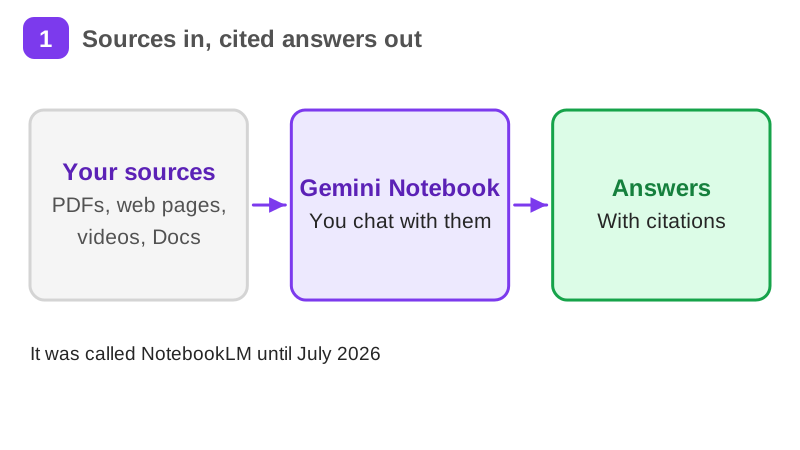
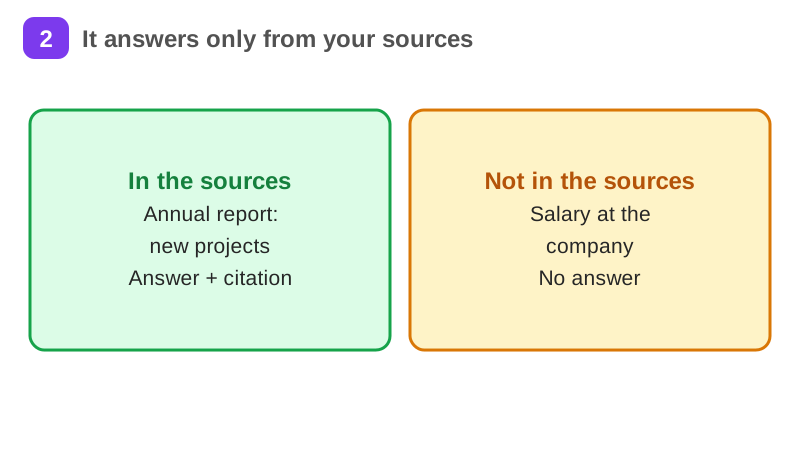
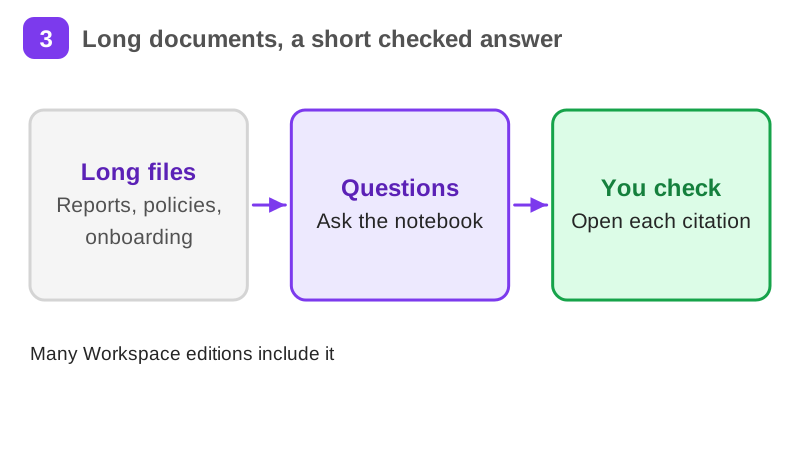
Nadia Rahimi is a made-up job seeker in Oulu. She has an interview on Friday for a project coordinator job at Koivu Energia, a made-up Finnish energy company. She has the job ad, a 112 page annual report and her own CV. She wants to prepare from those three files, not from the whole internet.
It takes about 20 min of reading, plus exercises, a short quiz and a practice task. It teaches Research Synthesis, Generative AI and Interview Preparation. Pass the short quiz at the end to get a certificate.
What you will be able to do
- A notebook of your own with at least four sources
- Five answers you checked against their citations
- A Finnish audio overview and a one page interview prep note
- A clear rule for which files never go into a personal account
Who it is for
Time per page: 10 to 20 minutes Whole course: 2 to 3 hours (10 pages, at your own speed) This is for you if you are: - Preparing for an interview and have long documents to read - Starting a job where you must digest reports and policies fast - Curious whether your employer's Google Workspace already includes it You need a free Google account and a web browser. You need no technical background. ---
The situation you work through
Nadia Rahimi, a made-up job seeker in Oulu, prepares for an interview for a project coordinator job at Koivu Energia, a made-up Finnish energy company. She loads the job ad, the annual report and her CV into one notebook, checks five cited answers, makes a Finnish audio overview and writes a one page prep note.
Your practice task
Build one Gemini Notebook for a real job you would apply for. Add at least four sources: the job ad, a public report or strategy from the employer, your own CV and a web page about the employer. Ask five questions and open the citation of every answer, marking each as supported or not supported. Set the output language to Finnish and make one audio overview, then check one name or fact from it against the source. Make a Document report, export it to Docs and edit it to a one page interview prep note with only lines you can prove. Submit the list of sources, the five questions with a mark for each answer, the fact you checked in the audio and the prep note.
Key topics
- What Gemini Notebook is
- Notebooks and sources
- Questions and citations
- Notes
- Audio and video overviews
- Reports and the prep note
and 4 more pages
What you get when you pass
A certificate with your name, the course and the date. Sharing it is your choice. If you share it, it has a public link that anyone can open to check it, and you can add it to LinkedIn.
Common questions about Gemini Notebook: research from your own sources
- Is Gemini Notebook: research from your own sources free?
- Yes. The course is free with a Herizon account, and the account is free too.
- How long does Gemini Notebook: research from your own sources take?
- It takes about 20 min of reading, plus exercises, a short quiz and a practice task. You can stop and continue later, because the portal keeps your place.
- Do I get a certificate?
- Yes. Pass the short quiz at the end to get a certificate you can share, for example on LinkedIn.
- What do I need to start?
- A free Herizon account. The course is written at beginner level.
- Who can join Herizon?
- You can join if you live in the EU, EEA, UK or Switzerland, or a partner organisation invited you.
- Who is Gemini Notebook: research from your own sources for?
- Time per page: 10 to 20 minutes Whole course: 2 to 3 hours (10 pages, at your own speed) This is for you if you are: - Preparing for an interview and have long documents to read - Starting a job where you must digest reports and policies fast - Curious whether your employer's Google Workspace already includes it You need a free Google account and a web browser. You need no technical background. ---
Start Gemini Notebook: research from your own sources free
Start this course freeCommon questions about Gemini Notebook: research from your own sources
- Is Gemini Notebook: research from your own sources free?
- Yes. The course is free with a Herizon account, and the account is free too.
- How long does Gemini Notebook: research from your own sources take?
- It takes about 20 min of reading, plus exercises, a short quiz and a practice task. You can stop and continue later, because the portal keeps your place.
- Do I get a certificate?
- Yes. Pass the short quiz at the end to get a certificate you can share, for example on LinkedIn.
- What do I need to start?
- A free Herizon account. The course is written at beginner level.
- Who can join Herizon?
- You can join if you live in the EU, EEA, UK or Switzerland, or a partner organisation invited you.
- Who is Gemini Notebook: research from your own sources for?
- Time per page: 10 to 20 minutes Whole course: 2 to 3 hours (10 pages, at your own speed) This is for you if you are: - Preparing for an interview and have long documents to read - Starting a job where you must digest reports and policies fast - Curious whether your employer's Google Workspace already includes it You need a free Google account and a web browser. You need no technical background. ---
More in Work with AI
- Understanding AI49 min · 15 pages
- Using AI responsibly at work24 min · 10 pages
- Getting started with Claude31 min · 16 pages
- No-code automation with n8n35 min · 11 pages
- Using Grok for work and the job search22 min · 10 pages
- Working with AI agents: dots, Muse and Grok Bot25 min · 11 pages
- Notion for teams and your job search29 min · 11 pages
- ChatGPT at work25 min · 12 pages
- Microsoft Copilot at work21 min · 10 pages
- Granola: AI meeting notes without a bot29 min · 12 pages
- Mistral Vibe (formerly Le Chat): an EU-based AI assistant24 min · 11 pages
Courses that teach similar skills
- Finnish for the job hunt43 min · 13 pages
- Interview preparation42 min · 11 pages