
Microsoft Copilot at work
A practical course for office workers on Microsoft 365. Learn the new Copilot names, check which Copilot you have, write prompts for emails, meeting notes and plans, see what a Premium licence adds, and know what is and is not protected.
21 min · 10 pages · practice task · quiz · part of Work with AI
Sponsor this courseWhat you will be able to do
Skills you add to your Herizon profile when you finish: Microsoft 365, Prompt Engineering, AI for Productivity.
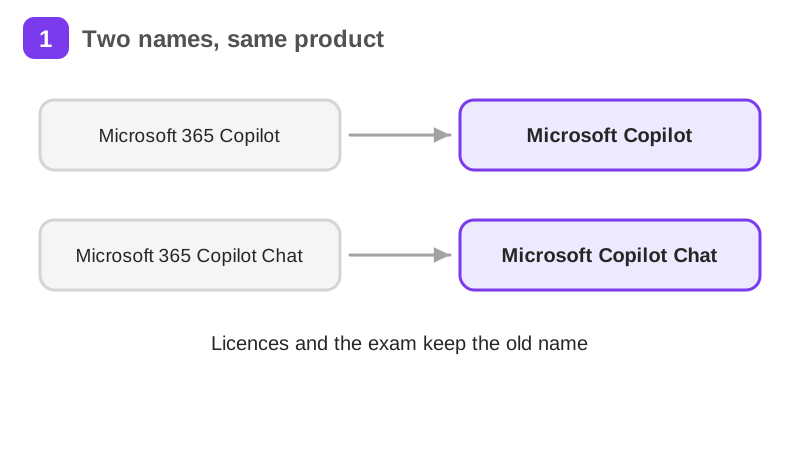
- Which names Microsoft uses now and which old names still show up on licences and exams
- How to check which Copilot you have at work, and what each label gives you
- How to write prompts for emails, meeting notes and short plans, and how to check the answers
- What changes with a paid Premium licence, and what Copilot Cowork and agents are
- Which work data is protected, what is not, and what you should never paste
- What the AB-730 certification covers
Who it is for
Anyone in an office role at a company on Microsoft 365, including people about to start such a job. No technical background needed. Copilot Chat works in Finnish and Swedish, so the skills apply in a Finnish workplace.
The situation you work through
Mira Salo, a made-up office coordinator at Havu Oy in Tampere, spends her first week on Microsoft 365 with Copilot Chat only, checks her label, handles an email, meeting notes and a plan, then the team of 12 gets one Premium licence.
Your practice task
Run Mira's week on your own work. Make a one page log with three parts: your Copilot label exactly as shown under your name at the bottom of the m365.cloud.microsoft home page, three real work prompts (an email reply, a meeting summary from pasted notes and a short plan) each with the exact prompt, what you changed and what you checked, and one data rule you follow with one sentence on why. Submit the log as evidence. No work Microsoft 365 account yet? Plan the log and write the three prompts with pasted sample text, then run them live once you have an account.
What is inside
- Two names, one tool
- Check your label
- Your first chat, with a file
- Emails in Outlook
- Meeting notes and summaries
- With a Premium licence
and 4 more pages
Finish with a short quiz to earn your certificate.
More in Work with AI
- Understanding AI49 min · 15 pages
- Using AI responsibly at work24 min · 10 pages
- Getting started with Claude31 min · 16 pages
- No-code automation with n8n35 min · 11 pages
- Using Grok for work and the job search22 min · 10 pages
- Grok Bot: an AI teammate that works while you don't26 min · 11 pages
- Working with AI agents: dots, Muse and Grok Bot25 min · 11 pages
- Notion for teams and your job search29 min · 11 pages
- ChatGPT at work25 min · 12 pages
- Gemini Notebook: research from your own sources20 min · 10 pages
- Granola: AI meeting notes without a bot29 min · 12 pages
- Mistral Vibe (formerly Le Chat): an EU-based AI assistant24 min · 11 pages