
Using AI responsibly at work
Using AI responsibly at work is a free, beginner online course from Herizon.
A practical course on using AI tools at work without losing control of your data, your accuracy or your credibility: what is safe to paste, how to check the output and when to say AI helped.
You finish with AI literacy and AI for Productivity added to your Herizon profile.
Free · 24 min read · certificate when you pass the quiz · part of Work with AI · last updated 9 November 2026
Free account, about two minutes. You can join if you live in the EU, EEA, UK or Switzerland, or a partner organisation invited you.
Already have an account? Open it in the portalA look inside the course
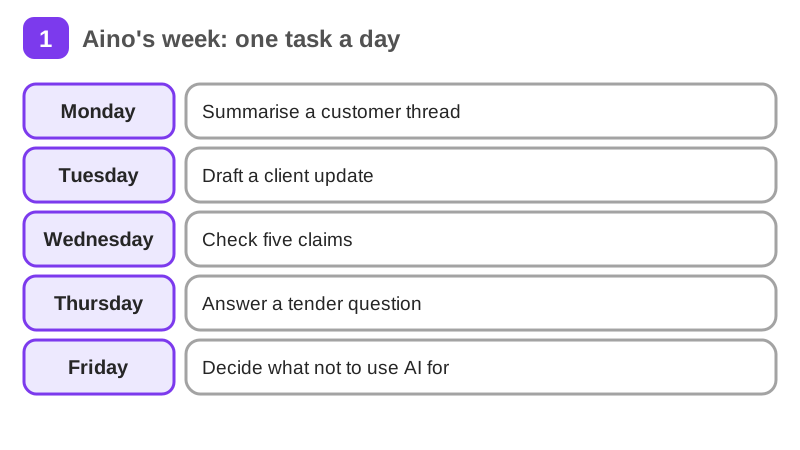
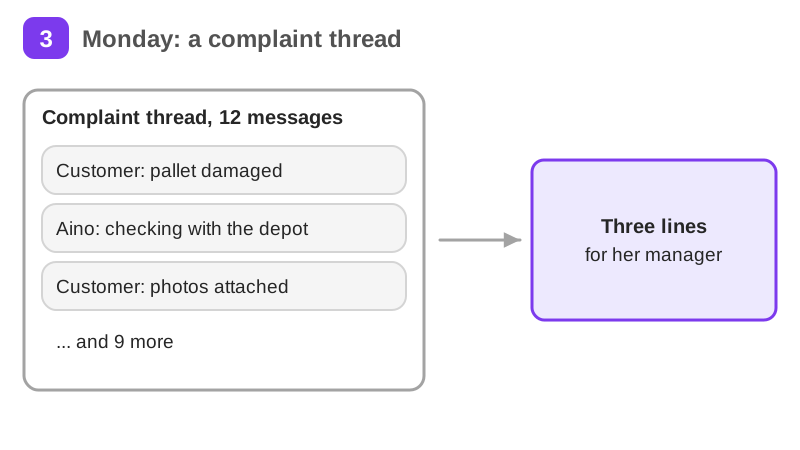
Aino Virtanen is a project coordinator at Laakso Logistics, a freight forwarder in Helsinki. She and the company are a worked example, not real people. This week she uses an AI tool for five real tasks, one a day. On each page you decide with her what is safe to paste in, how to check what comes out, and when to say AI helped.
It takes about 24 min of reading, plus exercises, a short quiz and a practice task. It teaches AI literacy and AI for Productivity. Pass the short quiz at the end to get a certificate.
What you will be able to do
Who it is for
Anyone who uses AI tools at work, in study or in a job search, in Finland or elsewhere in the EU. This is general guidance, not legal advice. Tool policies and rules change, so the course tells you what to check instead of what to remember.
The situation you work through
Aino, a project coordinator at a Helsinki freight forwarder, uses an AI tool for five real tasks in one week and decides what is safe to paste, how to check the output and when to say AI helped.
Your practice task
Audit your own recent AI use: list five real tasks where you used an AI tool, or could have. For each, record what text went in and whether it was public, internal or restricted, what you checked in the output, and whether anyone should have been told AI helped. Submit the table and two sentences on the one habit you will change.
Key topics
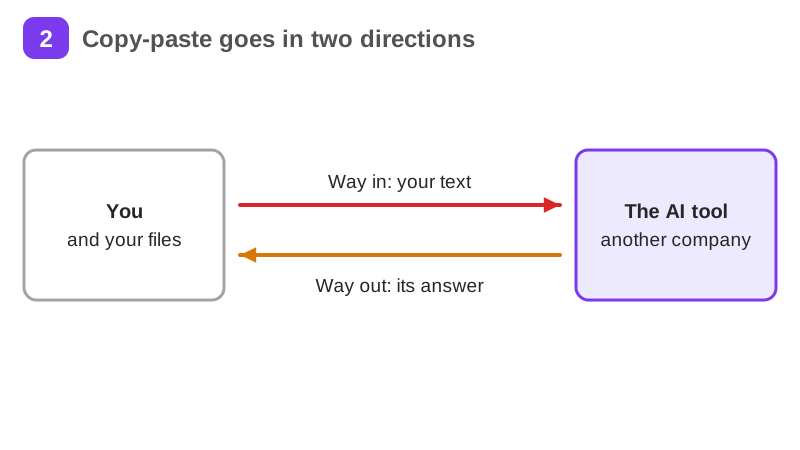
- The copy-paste trap
- What is safe to paste
- A draft is a starting point
- Read before you send
- Verifying what AI tells you
- When to say you used AI
and 4 more pages
What you get when you pass
A certificate with your name, the course and the date. Sharing it is your choice. If you share it, it has a public link that anyone can open to check it, and you can add it to LinkedIn.
Common questions about Using AI responsibly at work
- Is Using AI responsibly at work free?
- Yes. The course is free with a Herizon account, and the account is free too.
- How long does Using AI responsibly at work take?
- It takes about 24 min of reading, plus exercises, a short quiz and a practice task. You can stop and continue later, because the portal keeps your place.
- Do I get a certificate?
- Yes. Pass the short quiz at the end to get a certificate you can share, for example on LinkedIn.
- What do I need to start?
- A free Herizon account. The course is written at beginner level.
- Who can join Herizon?
- You can join if you live in the EU, EEA, UK or Switzerland, or a partner organisation invited you.
- Who is Using AI responsibly at work for?
- Anyone who uses AI tools at work, in study or in a job search, in Finland or elsewhere in the EU. This is general guidance, not legal advice. Tool policies and rules change, so the course tells you what to check instead of what to remember.
Start Using AI responsibly at work free
Start this course freeCommon questions about Using AI responsibly at work
- Is Using AI responsibly at work free?
- Yes. The course is free with a Herizon account, and the account is free too.
- How long does Using AI responsibly at work take?
- It takes about 24 min of reading, plus exercises, a short quiz and a practice task. You can stop and continue later, because the portal keeps your place.
- Do I get a certificate?
- Yes. Pass the short quiz at the end to get a certificate you can share, for example on LinkedIn.
- What do I need to start?
- A free Herizon account. The course is written at beginner level.
- Who can join Herizon?
- You can join if you live in the EU, EEA, UK or Switzerland, or a partner organisation invited you.
- Who is Using AI responsibly at work for?
- Anyone who uses AI tools at work, in study or in a job search, in Finland or elsewhere in the EU. This is general guidance, not legal advice. Tool policies and rules change, so the course tells you what to check instead of what to remember.
More in Work with AI
- Understanding AI49 min · 15 pages
- Getting started with Claude31 min · 16 pages
- No-code automation with n8n35 min · 11 pages
- Using Grok for work and the job search22 min · 10 pages
- Working with AI agents: dots, Muse and Grok Bot25 min · 11 pages
- Notion for teams and your job search29 min · 11 pages
- ChatGPT at work25 min · 12 pages
- Gemini Notebook: research from your own sources20 min · 10 pages
- Microsoft Copilot at work21 min · 10 pages
- Granola: AI meeting notes without a bot29 min · 12 pages
- Mistral Vibe (formerly Le Chat): an EU-based AI assistant24 min · 11 pages