
ChatGPT at work
A practical course for members who want to use ChatGPT well at work: plans, modes, privacy and data rules, prompts, files, Projects, Work, plugins, deep research and checking answers.
25 min · 12 pages · practice task · quiz · part of Work with AI
Sponsor this courseWhat you will be able to do
Skills you add to your Herizon profile when you finish: Generative AI, Prompt Engineering, AI for Productivity.
- What ChatGPT's three modes are, and which one to use for which task
- Which plan and model you get, and what is limited on the free plan
- How the training setting, temporary chat and Business data rules work
- How to write a first prompt with context, and how to use files and data
- How to use Projects, Work, plugins and deep research on a work task
- How to check what ChatGPT tells you before you repeat it
Who it is for
Members who start a new job, or want to use ChatGPT well at work. No technical background needed. The course is made for the Herizon community of international professionals in Finland.
The situation you work through
Noor Haddad, a made-up junior project coordinator in Espoo, starts at Kuusi Build, which gives her a ChatGPT Business seat, and learns it in her first weeks: privacy and data rules, a first prompt, a task tracker file with a number to check, a Project, Work, plugins and deep research.
Your practice task
Do Noor's first weeks on your own work. Choose the account and write the one-sentence data rule you follow. Make one finished deliverable from a work file you may share, in Work or, if your plan has no Work, in Chat. Submit one document with your account, plan and mode and the rule, the exact prompt, the deliverable, and a log of what you verified, each claim with the source you opened and whether it was right or wrong.
What is inside
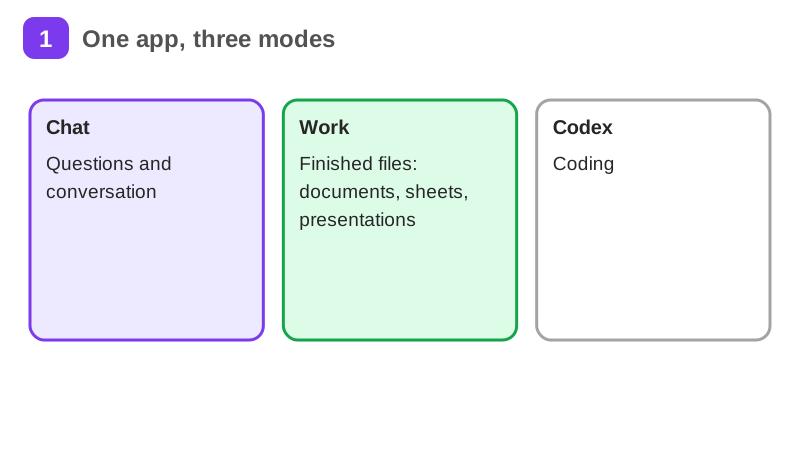
- What ChatGPT is and its three modes
- Plans, prices and models
- Privacy and your data
- Work data rules
- Your first good prompt
- Files and data analysis
and 6 more pages
Finish with a short quiz to earn your certificate.
More in Work with AI
- Understanding AI49 min · 15 pages
- Using AI responsibly at work24 min · 10 pages
- Getting started with Claude31 min · 16 pages
- No-code automation with n8n35 min · 11 pages
- Using Grok for work and the job search22 min · 10 pages
- Grok Bot: an AI teammate that works while you don't26 min · 11 pages
- Working with AI agents: dots, Muse and Grok Bot25 min · 11 pages
- Notion for teams and your job search29 min · 11 pages
- Gemini Notebook: research from your own sources20 min · 10 pages
- Microsoft Copilot at work21 min · 10 pages
- Granola: AI meeting notes without a bot29 min · 12 pages
- Mistral Vibe (formerly Le Chat): an EU-based AI assistant24 min · 11 pages