
No-code automation with n8n
Learn to automate workflows without coding. Build integrations between apps, automate repetitive tasks, and create powerful workflows using n8n, Zapier, and Make.
35 min · 11 pages · practice task · quiz · part of Work with AI
Sponsor this courseWhat you will be able to do
Skills you add to your Herizon profile when you finish: Automation, No-code automation, n8n.
- How a trigger and actions make an automation, and how Zapier, Make and n8n count usage
- Setting up n8n and testing one node at a time
- Turning a job feed into items, fields and rows
- Filtering, branching, retrying and getting told when a run fails
- Running a workflow on a schedule, in the right timezone
- Receiving data through a locked webhook
- Merging lists, looping politely and reusing a sub-workflow
- Estimating what a workflow costs to run
The situation you work through
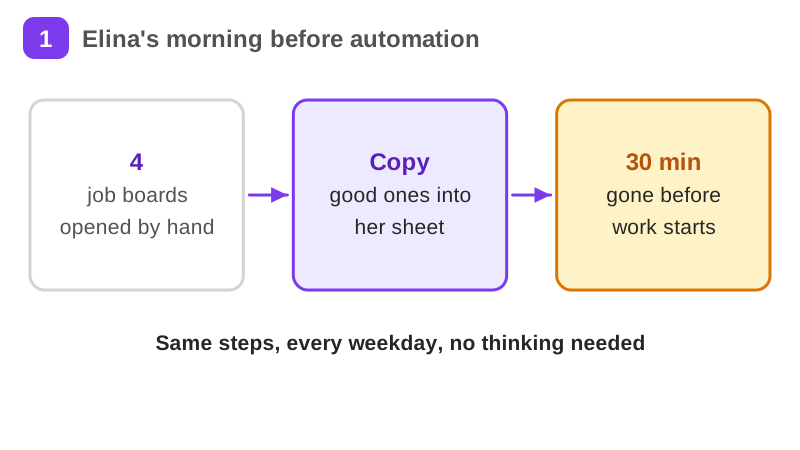
Elina, a service designer in Turku, replaces her morning routine of checking four job boards by hand with one n8n workflow: a schedule, a job feed, a filter, a duplicate check, a tracker sheet, a digest email and an error alert.
Your practice task
Build your own tracker workflow: a schedule, a source that returns a list, a keyword filter, a check against what is already in your Google Sheet, an appended row, a short digest email and an error workflow that emails you when it fails. Test it by breaking it on purpose. Submit the steps in order with the node you used for each, how it avoids duplicates and tells you when it fails, one thing that broke and your fix, and its running cost counted in your tool's unit with the date you checked the pricing page.
What is inside
- What is no-code automation and why it matters
- Setting up n8n
- Your first workflow
- Working with data
- Common integrations
- Conditional logic and error handling
and 5 more pages
Finish with a short quiz to earn your certificate.
More in Work with AI
- Understanding AI49 min · 15 pages
- Using AI responsibly at work24 min · 10 pages
- Getting started with Claude31 min · 16 pages
- Using Grok for work and the job search22 min · 10 pages
- Grok Bot: an AI teammate that works while you don't26 min · 11 pages
- Working with AI agents: dots, Muse and Grok Bot25 min · 11 pages
- Notion for teams and your job search29 min · 11 pages
- ChatGPT at work25 min · 12 pages
- Gemini Notebook: research from your own sources20 min · 10 pages
- Microsoft Copilot at work21 min · 10 pages
- Granola: AI meeting notes without a bot29 min · 12 pages
- Mistral Vibe (formerly Le Chat): an EU-based AI assistant24 min · 11 pages