
Canva for work: social posts, decks and brand kits
Learn Canva on the free plan well enough to show it in a job application. Covers templates and the editor, layout basics, one Brand Kit, social posts in two sizes, a short deck, Canva AI limits, sharing, exports, privacy and the free Canva essentials certificate.
23 min · 10 pages · practice task · quiz · part of Growth marketer
Sponsor this courseWhat you will be able to do
Skills you add to your Herizon profile when you finish: Canva, Graphic Design, Social Media Design.
- What the editor, templates and design types do
- Four layout habits that make a post easy to read
- How to set up your one free Brand Kit
- Making a post set and changing it for a second size
- How to build a short deck with one idea per slide
- What Canva AI can and cannot do on the free plan, and why Finnish and Swedish text is yours to write
- How to share a view link, export a file and keep private data out
- How to earn the free Canva essentials certificate for your CV
The situation you work through
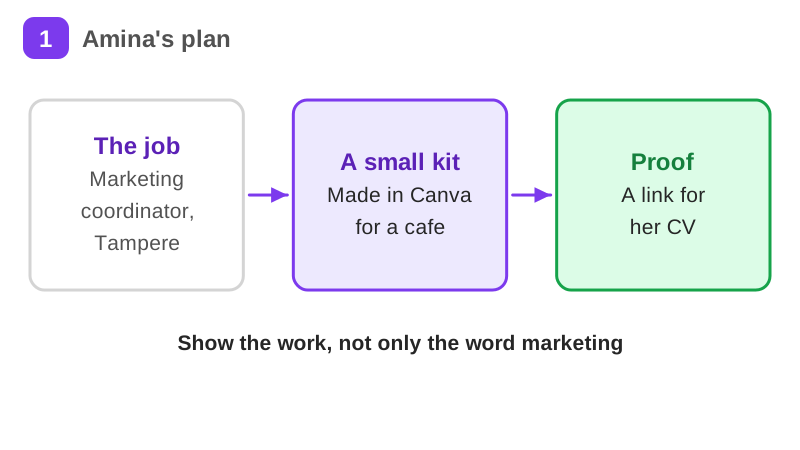
Amina is applying for a marketing coordinator role in Tampere. She makes a small autumn campaign kit for a neighbourhood bakery café, as a portfolio piece, using only Canva Free: one Brand Kit, three social posts in two sizes, a five-slide deck shared as a view link, and the Canva essentials certificate for her CV.
Your practice task
Make a small campaign kit for a local business, a club or an imaginary shop, using only Canva Free. Build one Brand Kit with three colours, three social posts in two sizes each, and a five-slide deck. If your text is in Finnish or Swedish, write it yourself and have someone check it. Share the deck as a view link and test the link in a private window. Finish the Canva essentials course at Canva Design School. Submit the view link, your three colours and two fonts, one layout decision per post, one thing you changed after resizing, and the date you earned the certificate.
What is inside
- What Canva is for
- The editor and templates
- Layout that reads
- One Brand Kit
- Social posts in two sizes
- A five-slide deck
and 4 more pages
Finish with a short quiz to earn your certificate.
More in Growth marketer
- Marketing fundamentals42 min · 15 pages
- Content marketing from zero46 min · 13 pages
- Social media strategy31 min · 13 pages
- SEO for non-technical people38 min · 10 pages
- Email marketing that works37 min · 11 pages
- Landing pages that convert29 min · 9 pages
- B2B marketing in the Nordics33 min · 11 pages
- Growth hacking fundamentals52 min · 12 pages
- Google Analytics 4 for marketing roles23 min · 10 pages
- Gamma: AI presentations and documents21 min · 10 pages
- Adobe Express and Photoshop for marketing jobs27 min · 10 pages