
Google Analytics 4 for marketing roles
Learn to read and report on website traffic with Google Analytics 4: how events work, setting up a property and data stream, key events, standard reports, explorations, UTM-tagged campaign links, consent in Finland and the EU, a simple Data Studio dashboard, and the Google Skillshop certificate.
23 min · 10 pages · practice task · quiz · part of Growth marketer
Sponsor this courseWhat you will be able to do
Skills you add to your Herizon profile when you finish: Google Analytics, Web Analytics, Google Data Studio.
- A clear picture of how GA4 counts events, sessions and key events
- A property and a data stream, or the questions to ask the person who owns them
- A UTM-tagged campaign link and the campaign's numbers in GA4
- A one-page Data Studio report with three findings
- The questions a junior should ask about consent in Finland and the EU
- A plan for the Google Skillshop certificate
Who it is for
Time per page: 15 to 30 minutes Whole course: 3 to 5 hours (10 pages, at your own speed) This is for you if you are: - Starting in a marketing, e-commerce or content role - Changing career and want to show you can read a traffic report - Asked to "look at the analytics" and unsure where to start You need a Google account. A site you control, or read access to someone's GA4 property, makes the practice easier. ---
The situation you work through
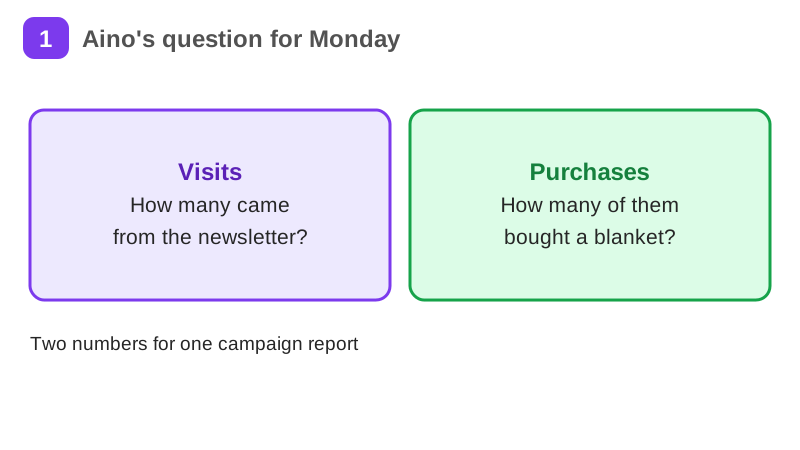
Aino, a junior marketing assistant at a small Helsinki webshop that sells wool blankets, reports on one newsletter campaign for the Monday meeting: she tags the campaign link, finds its sessions and purchases in Google Analytics 4, checks the consent setup with the team, builds a one-page Data Studio report and writes three findings.
Your practice task
Report on one campaign link. Tag it with UTM parameters, then find its sessions and key events in Google Analytics 4 on a site you control or have access to. Build a one-page Data Studio report with the numbers and write three findings. Submit the tagged link, the sessions and key event count with the date range, a screenshot or link of your report, and your three findings, each with the number it rests on. Add one question you would ask about consent on that site.
What is inside
- What Google Analytics 4 measures
- A property and a data stream
- Events and key events
- Standard reports
- Explorations
- UTM-tagged campaign links
and 4 more pages
Finish with a short quiz to earn your certificate.
More in Growth marketer
- Marketing fundamentals42 min · 15 pages
- Content marketing from zero46 min · 13 pages
- Social media strategy31 min · 13 pages
- SEO for non-technical people38 min · 10 pages
- Email marketing that works37 min · 11 pages
- Landing pages that convert29 min · 9 pages
- B2B marketing in the Nordics33 min · 11 pages
- Growth hacking fundamentals52 min · 12 pages
- Canva for work: social posts, decks and brand kits23 min · 10 pages
- Gamma: AI presentations and documents21 min · 10 pages
- Adobe Express and Photoshop for marketing jobs27 min · 10 pages