
Build apps with v0 and Bolt
v0 by Vercel and Bolt build working web apps from plain-language prompts. This hands-on course follows one small sign-up page built in both tools: what each one builds now, plans and prices, a first prompt, iterating, adding data and sign-in with keys kept safe, exporting the code to GitHub, deploying, a 5-point review of what the AI built, a short comparison with Lovable, and when to move to real code.
37 min · 11 pages · practice task · quiz · part of Technical founder
Sponsor this courseWhat you will be able to do
Skills you add to your Herizon profile when you finish: AI App Development, Rapid Prototyping, Prompt Engineering.
- Two small apps built from the same prompt, with their code in GitHub
- One of them live on a link you can share
- A 5-point review you can run on any app an AI built
- A clear view of where your content goes and what never to paste
- A reasoned answer to which tool you would use, and when to move to real code
Who it is for
Time per page: 15 to 30 minutes Whole course: 3 to 5 hours (11 pages, at your own speed) This is for you if you are: - A founder who wants to test an idea this week - A jobseeker who wants a real project and a tool comparison to show - An operator or marketer who needs a small internal tool - Changing career and curious about building You need no programming experience. A free account on each tool and a free GitHub account are enough to start. The free plans have daily limits, so spread the work over a few days. ---
The situation you work through
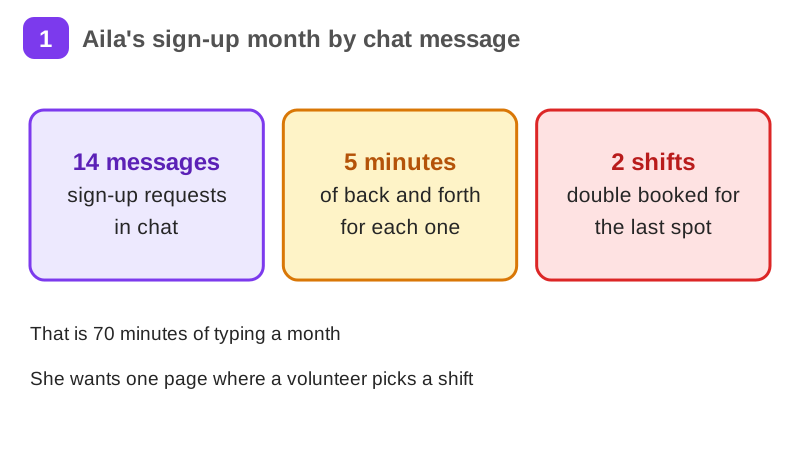
Lena, a member in Tampere, builds one small sign-up page for her neighbour Aila's community garden and tries the same prompt in v0 and in Bolt: a first prompt, small changes, data and sign-in, a GitHub export, one deploy and a 5-point review of each.
Your practice task
Write one prompt for a small app of your own and send the exact same prompt to v0 and to Bolt. Export both to GitHub. Run the 5-point review (secrets, sign-in, data access, personal data, a test as a stranger) on each app, then make the repositories public once the secrets check is clean, or take screenshots if you keep them private. Deploy one app and test it as a stranger. Submit your prompt word for word, both GitHub links or screenshots, the live link, one line per review point for each app, and three sentences on which tool you would use and why.
What is inside
- What v0 and Bolt build now
- Plans, credits and prices
- Your first app in v0
- Your first app in Bolt
- Prompting and iterating
- Data, sign-in and secrets
and 5 more pages
Finish with a short quiz to earn your certificate.
More in Technical founder
- Vibe coding: build a small app with an AI coding tool27 min · 12 pages
- Building apps with Lovable26 min · 10 pages
- Git & GitHub for beginners38 min · 11 pages
- Getting started with Claude Code30 min · 15 pages
- Web development fundamentals50 min · 11 pages
- API fundamentals49 min · 11 pages
- AI engineering fundamentals58 min · 12 pages
- Supabase: build a backend without backend code43 min · 11 pages
- Vercel: deploy and ship fast26 min · 11 pages
- Cloud fundamentals31 min · 11 pages
- Cybersecurity fundamentals37 min · 11 pages
- Build your own bot with the Grok API36 min · 11 pages
- AI coding assistants: GitHub Copilot and OpenAI Codex22 min · 11 pages
- Take payments with Stripe29 min · 11 pages
- Cloudflare for small projects: domains, DNS and Workers25 min · 10 pages