
Cloudflare for small projects: domains, DNS and Workers
Cloudflare for small projects: domains, DNS and Workers is a free, beginner online course from Herizon.
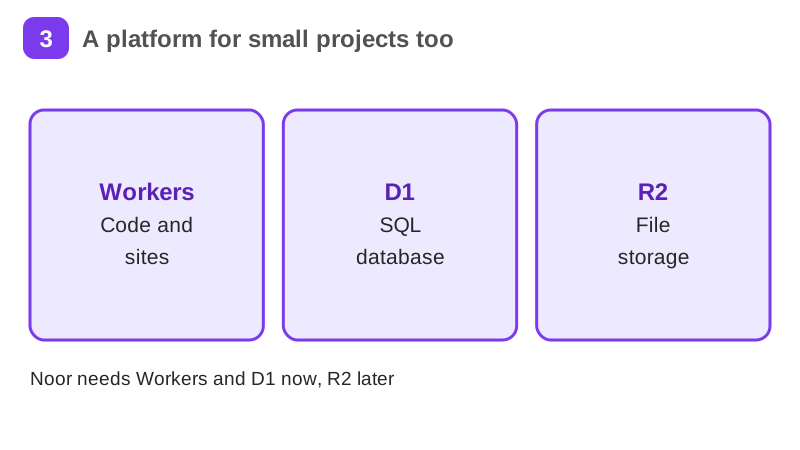
Put a small project on the internet with Cloudflare: move a domain's DNS, read and explain DNS records, serve a static site on Workers, create a D1 database in the EU jurisdiction and keep secrets out of your code.
You finish with Web Deployment, DNS and Serverless Computing added to your Herizon profile.
Free · 25 min read · certificate when you pass the quiz · part of Technical founder · last updated 9 November 2026
Free account, about two minutes. You can join if you live in the EU, EEA, UK or Switzerland, or a partner organisation invited you.
Already have an account? Open it in the portalA look inside the course
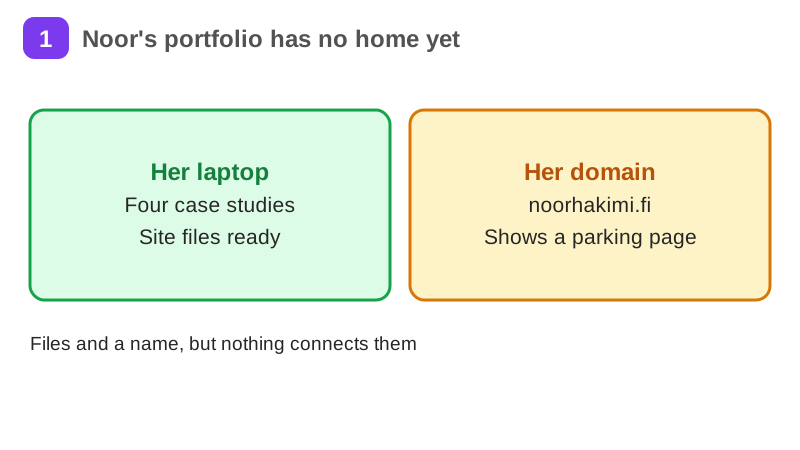
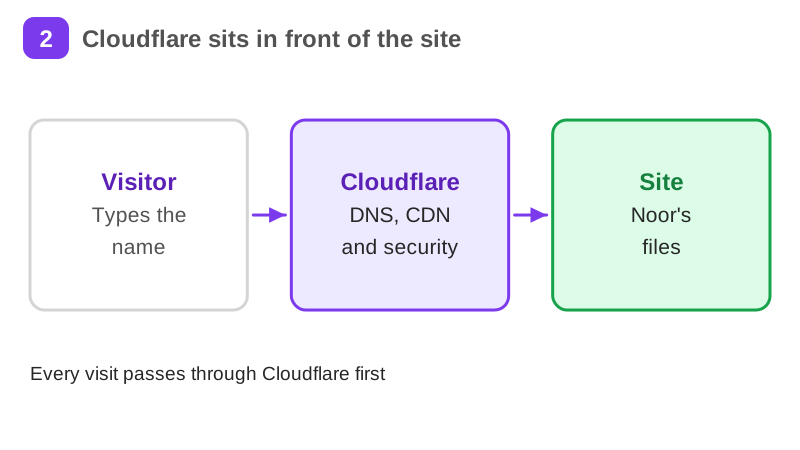
Noor is a UX designer in Espoo, a made-up worked example. She has a portfolio with four case studies and a domain she bought for it, noorhakimi.fi. The site files sit on her laptop and the domain still points at the registrar's parking page. She wants both connected, for as little money and upkeep as possible.
It takes about 25 min of reading, plus exercises, a short quiz and a practice task. It teaches Web Deployment, DNS and Serverless Computing. Pass the short quiz at the end to get a certificate.
What you will be able to do
- A domain whose DNS runs on Cloudflare, with every record listed and explained
- A static site served by a Worker, on your domain or a workers.dev address
- One D1 table created in the EU jurisdiction
- Secrets kept out of your code
- A clear idea of what the Free plans cover and where they stop
Who it is for
Time per page: 15 to 30 minutes Whole course: 4 to 5 hours (10 pages, at your own speed) This is for you if you are: - A developer, designer or student with a site that only runs on your laptop - A junior asked to move a company's DNS or put a small site online cheaply - Changing career and building a project to show You need a Cloudflare account and a small static site. Basic terminal use and Node.js help. A domain you own is optional: you can finish the site part on a workers.dev address. ---
The situation you work through
Noor, a made-up UX designer in Espoo, puts her four-case-study portfolio on her own .fi domain: she buys the name elsewhere, moves its DNS to Cloudflare with DNSSEC off first, serves the site from a Worker and stores contact messages in a D1 table in the EU jurisdiction.
Your practice task
Deploy a static site on Workers, on your own domain or a workers.dev address. List your DNS records and explain each one in a line, or say that you used workers.dev. Create one D1 table in the EU jurisdiction. Submit the live link, the records with their reasons, the table name with its columns and jurisdiction, and three sentences on what went wrong, how you fixed it and your next step.
Key topics
- What Cloudflare does for a small project
- Domains and the .fi gap
- Moving DNS to Cloudflare
- DNS records
- Your first Worker
- A static site on Workers
and 4 more pages
What you get when you pass
A certificate with your name, the course and the date. Sharing it is your choice. If you share it, it has a public link that anyone can open to check it, and you can add it to LinkedIn.
Common questions about Cloudflare for small projects: domains, DNS and Workers
- Is Cloudflare for small projects: domains, DNS and Workers free?
- Yes. The course is free with a Herizon account, and the account is free too.
- How long does Cloudflare for small projects: domains, DNS and Workers take?
- It takes about 25 min of reading, plus exercises, a short quiz and a practice task. You can stop and continue later, because the portal keeps your place.
- Do I get a certificate?
- Yes. Pass the short quiz at the end to get a certificate you can share, for example on LinkedIn.
- What do I need to start?
- A free Herizon account. The course is written at beginner level.
- Who can join Herizon?
- You can join if you live in the EU, EEA, UK or Switzerland, or a partner organisation invited you.
- Who is Cloudflare for small projects: domains, DNS and Workers for?
- Time per page: 15 to 30 minutes Whole course: 4 to 5 hours (10 pages, at your own speed) This is for you if you are: - A developer, designer or student with a site that only runs on your laptop - A junior asked to move a company's DNS or put a small site online cheaply - Changing career and building a project to show You need a Cloudflare account and a small static site. Basic terminal use and Node.js help. A domain you own is optional: you can finish the site part on a workers.dev address. ---
Start Cloudflare for small projects: domains, DNS and Workers free
Start this course freeCommon questions about Cloudflare for small projects: domains, DNS and Workers
- Is Cloudflare for small projects: domains, DNS and Workers free?
- Yes. The course is free with a Herizon account, and the account is free too.
- How long does Cloudflare for small projects: domains, DNS and Workers take?
- It takes about 25 min of reading, plus exercises, a short quiz and a practice task. You can stop and continue later, because the portal keeps your place.
- Do I get a certificate?
- Yes. Pass the short quiz at the end to get a certificate you can share, for example on LinkedIn.
- What do I need to start?
- A free Herizon account. The course is written at beginner level.
- Who can join Herizon?
- You can join if you live in the EU, EEA, UK or Switzerland, or a partner organisation invited you.
- Who is Cloudflare for small projects: domains, DNS and Workers for?
- Time per page: 15 to 30 minutes Whole course: 4 to 5 hours (10 pages, at your own speed) This is for you if you are: - A developer, designer or student with a site that only runs on your laptop - A junior asked to move a company's DNS or put a small site online cheaply - Changing career and building a project to show You need a Cloudflare account and a small static site. Basic terminal use and Node.js help. A domain you own is optional: you can finish the site part on a workers.dev address. ---
More in Technical founder
- Vibe coding: build a small app with an AI coding tool27 min · 12 pages
- Building apps with Lovable26 min · 10 pages
- Git & GitHub for beginners38 min · 11 pages
- Getting started with Claude Code30 min · 15 pages
- Web development fundamentals50 min · 11 pages
- TypeScript fundamentals40 min · 11 pages
- API fundamentals49 min · 11 pages
- AI engineering fundamentals58 min · 12 pages
- Supabase: build a backend without backend code43 min · 11 pages
- Vercel: deploy and ship fast26 min · 11 pages
- Cloud fundamentals31 min · 11 pages
- Cybersecurity fundamentals37 min · 11 pages
- Build your own bot with the Grok API36 min · 11 pages
- AI coding assistants: GitHub Copilot and OpenAI Codex22 min · 11 pages
- Take payments with Stripe29 min · 11 pages
- Build apps with v0 and Bolt37 min · 11 pages
- Java for beginners30 min · 11 pages
- Working as a junior software engineer in the Nordics27 min · 11 pages
- DevOps fundamentals: Docker, CI/CD, Kubernetes and Terraform28 min · 10 pages