
Vibe coding: build a small app with an AI coding tool
Build and share a small app with an AI coding tool, without learning to code first. You go from an idea to a live link: setting up the tool, saving your work on GitHub, publishing, prompting a first page, fixing a bug, and keeping keys and data safe.
27 min · 12 pages · practice task · quiz · part of Technical founder
Sponsor this courseWhat you will be able to do
Skills you add to your Herizon profile when you finish: Web Development Basics, AI-assisted Development.
- A small app of your own, live on a link you can share
- A way to write prompts that get what you meant
- A routine for finding and fixing a bug when something breaks
- Secrets kept out of your code, and access rules you have tested
- A clear sense of when to bring in a developer
Who it is for
Time per page: 15 to 30 minutes Whole course: 4 to 5 hours (12 pages, at your own speed) This is for you if you are: - A coordinator or founder who wants to replace a spreadsheet with a page - A jobseeker who wants a real project to show - An operator or marketer who needs a small internal tool - Changing career and curious about building You need no programming experience. It helps to think clearly about what you want, because the tool builds what you describe. ---
The situation you work through
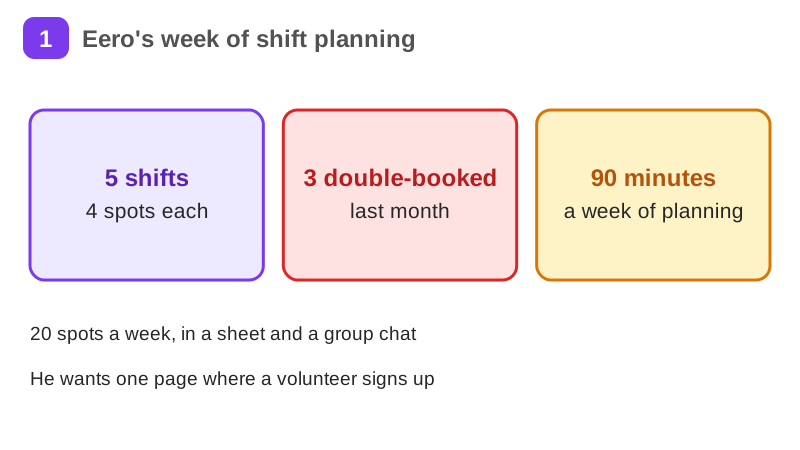
Eero, a volunteer coordinator at a food bank in Tampere, builds one small shift sign-up page with an AI coding tool: a first prompt, a shared link, a bug fix and a safe way to save sign-ups.
Your practice task
Build one small app of your own with an AI coding tool: a page where visitors do one thing and something is saved. Put it on a live link, test it with three people, find and fix one bug, and check that no secret key sits in your code and that access rules are in place. Submit the live link, your first prompt word for word, and three sentences on what the app does, which bug you fixed, and your next step.
What is inside
- The idea: a shift sign-up page
- Set up an AI coding tool
- Create a GitHub repository
- Connect the tool to GitHub
- Get a shared link
- Build the first page by prompting
and 6 more pages
Finish with a short quiz to earn your certificate.
More in Technical founder
- Building apps with Lovable26 min · 10 pages
- Git & GitHub for beginners38 min · 11 pages
- Getting started with Claude Code30 min · 15 pages
- Web development fundamentals50 min · 11 pages
- API fundamentals49 min · 11 pages
- AI engineering fundamentals58 min · 12 pages
- Supabase: build a backend without backend code43 min · 11 pages
- Vercel: deploy and ship fast26 min · 11 pages
- Cloud fundamentals31 min · 11 pages
- Cybersecurity fundamentals37 min · 11 pages
- Build your own bot with the Grok API36 min · 11 pages
- AI coding assistants: GitHub Copilot and OpenAI Codex22 min · 11 pages
- Take payments with Stripe29 min · 11 pages
- Cloudflare for small projects: domains, DNS and Workers25 min · 10 pages
- Build apps with v0 and Bolt37 min · 11 pages