
Git & GitHub for beginners
Learn version control with Git and collaboration with GitHub. From your first commit to pull requests and branching strategies.
38 min · 11 pages · practice task · quiz · part of Technical founder
Sponsor this courseWhat you will be able to do
Skills you add to your Herizon profile when you finish: Git, GitHub.
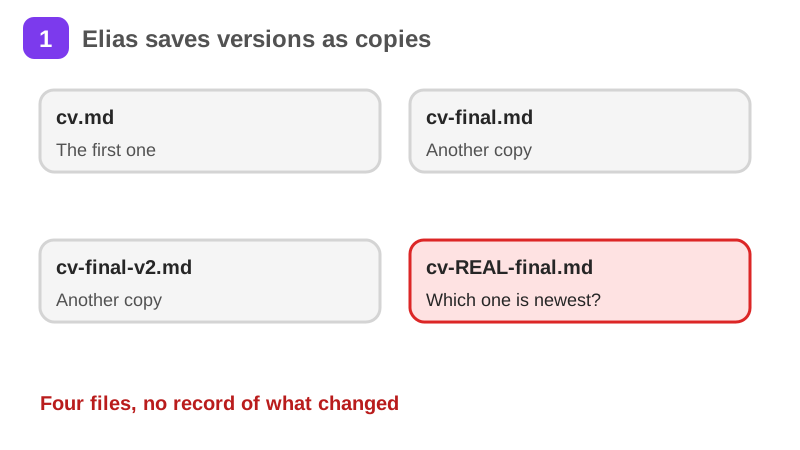
- What Git is and how a history of commits replaces copies like cv-final-v2.md
- How to set up Git and make your first commits
- How a branch lets you try a change without touching main
- How merging works and how to resolve a merge conflict
- How to push, clone and pull with GitHub
- How to open a pull request and get it reviewed
- What a useful review comment looks like
- How .gitignore and small commits keep a repository clean
- The feature branch workflow that most teams use
Who it is for
Developers, designers, or anyone who works with files and wants to learn version control from scratch. You might be starting your first job, contributing to open source, or tired of renaming files to project_final_v3_REAL.zip. No prior Git experience is required. You should be comfortable using a terminal for basic tasks like moving between folders.
The situation you work through
Elias, a beginner in Tampere, puts one small project, his CV in cv.md, under Git and works on it with his friend Salla on GitHub, a step per page: commits, a branch, a merge conflict, a pull request and a review.
Your practice task
Turn your own CV into a Git repository called my-cv: a cv.md file, a .gitignore, at least three commits that each do one thing, a branch and a pull request that you open, review and merge, all pushed to a public GitHub repository. Submit the repository link and a one-paragraph description of what you did.
What is inside
- What is Git
- Installing and setup
- First repo and commits
- Branching
- Merging and conflicts
- GitHub basics
and 5 more pages
Finish with a short quiz to earn your certificate.
More in Technical founder
- Vibe coding: build a small app with an AI coding tool27 min · 12 pages
- Building apps with Lovable26 min · 10 pages
- Getting started with Claude Code30 min · 15 pages
- Web development fundamentals50 min · 11 pages
- API fundamentals49 min · 11 pages
- AI engineering fundamentals58 min · 12 pages
- Supabase: build a backend without backend code43 min · 11 pages
- Vercel: deploy and ship fast26 min · 11 pages
- Cloud fundamentals31 min · 11 pages
- Cybersecurity fundamentals37 min · 11 pages
- Build your own bot with the Grok API36 min · 11 pages
- AI coding assistants: GitHub Copilot and OpenAI Codex22 min · 11 pages
- Take payments with Stripe29 min · 11 pages
- Cloudflare for small projects: domains, DNS and Workers25 min · 10 pages
- Build apps with v0 and Bolt37 min · 11 pages