
Take payments with Stripe
Take payments with Stripe is a free, beginner online course from Herizon.
Learn how to take your first online payments with Stripe: practise in a sandbox, sell with a Payment Link, build a Checkout Session, handle subscriptions and events with a verified signature, and work out fees and VAT for sales in Finland.
You finish with Stripe Integration and Payment Processing added to your Herizon profile.
Free · 29 min read · certificate when you pass the quiz · part of Technical founder · last updated 9 November 2026
Free account, about two minutes. You can join if you live in the EU, EEA, UK or Switzerland, or a partner organisation invited you.
Already have an account? Open it in the portalA look inside the course
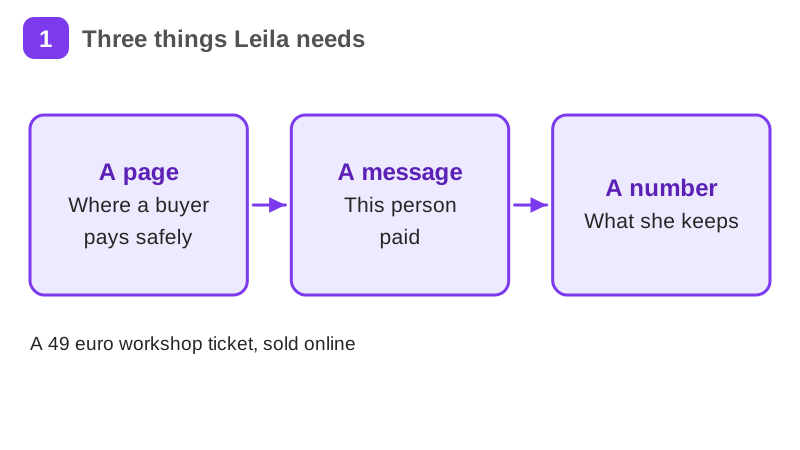
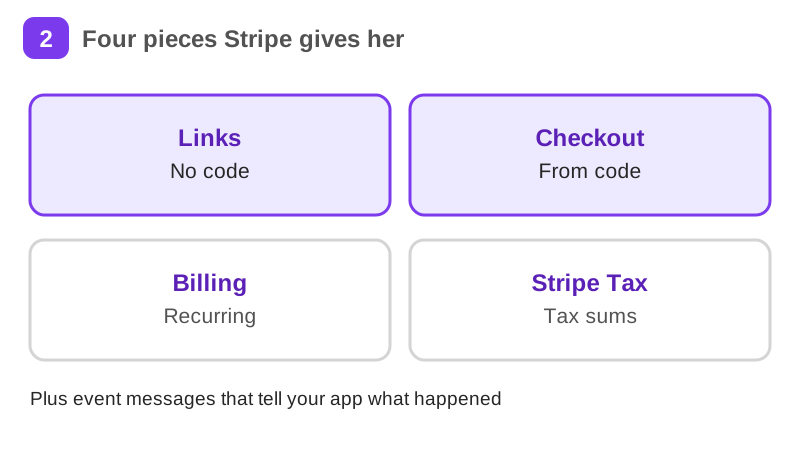
Leila is a graphic designer in Turku with a toiminimi, a sole trader business. She is a worked example, not a real person. She has taught a brand workshop in a room for two years, and now she wants to sell a one-day online version for 49 euros a ticket. She needs a way to take cards, tell her buyers it worked and know how much she keeps. Over this course she does that with Stripe, and you build your own sandbox version next to her.
It takes about 29 min of reading, plus exercises, a short quiz and a practice task. It teaches Stripe Integration and Payment Processing. Pass the short quiz at the end to get a certificate.
What you will be able to do
- A Payment Link and a Checkout Session working in a Stripe sandbox
- One event destination that checks the signature of every event
- A fee and VAT calculation for 20 sales that you can explain
- A clear rule for which key and secret goes where
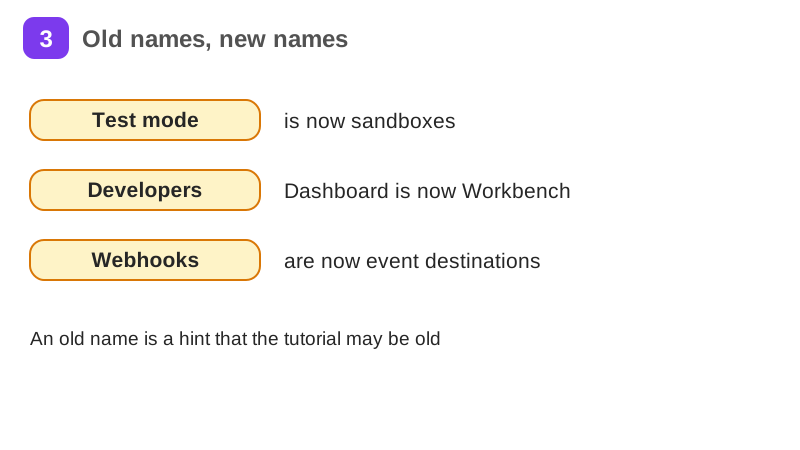
- A way to spot old Stripe tutorials that no longer work
The situation you work through
Leila, a made-up graphic designer in Turku with a toiminimi, sells a one-day online workshop for 49 euros a ticket. She practises in a Stripe sandbox, sells with a Payment Link and a Checkout Session, adds a membership, listens for events with a verified signature, and works out what she keeps from 20 sales after fees and VAT.
Your practice task
Build your own small Stripe setup in a sandbox: a Payment Link, a Checkout Session from a little Node code with the key in an environment variable, and one event destination with a verified signature (show one accepted test event and one rejected). Then work out the fees and VAT for 20 sales at your own price. Submit the Payment Link URL and your Checkout code with every key replaced by a placeholder, a short note of your event test, your calculation, and one paragraph on what you checked about VAT and what you would do next.
Key topics
- What Stripe is
- Sandboxes and test cards
- Payment Links
- Checkout Sessions
- Subscriptions basics
- Event destinations and webhooks
and 5 more pages
What you get when you pass
A certificate with your name, the course and the date. Sharing it is your choice. If you share it, it has a public link that anyone can open to check it, and you can add it to LinkedIn.
Common questions about Take payments with Stripe
- Is Take payments with Stripe free?
- Yes. The course is free with a Herizon account, and the account is free too.
- How long does Take payments with Stripe take?
- It takes about 29 min of reading, plus exercises, a short quiz and a practice task. You can stop and continue later, because the portal keeps your place.
- Do I get a certificate?
- Yes. Pass the short quiz at the end to get a certificate you can share, for example on LinkedIn.
- What do I need to start?
- A free Herizon account. The course is written at beginner level.
- Who can join Herizon?
- You can join if you live in the EU, EEA, UK or Switzerland, or a partner organisation invited you.
Start Take payments with Stripe free
Start this course freeCommon questions about Take payments with Stripe
- Is Take payments with Stripe free?
- Yes. The course is free with a Herizon account, and the account is free too.
- How long does Take payments with Stripe take?
- It takes about 29 min of reading, plus exercises, a short quiz and a practice task. You can stop and continue later, because the portal keeps your place.
- Do I get a certificate?
- Yes. Pass the short quiz at the end to get a certificate you can share, for example on LinkedIn.
- What do I need to start?
- A free Herizon account. The course is written at beginner level.
- Who can join Herizon?
- You can join if you live in the EU, EEA, UK or Switzerland, or a partner organisation invited you.
More in Technical founder
- Vibe coding: build a small app with an AI coding tool27 min · 12 pages
- Building apps with Lovable26 min · 10 pages
- Git & GitHub for beginners38 min · 11 pages
- Getting started with Claude Code30 min · 15 pages
- Web development fundamentals50 min · 11 pages
- TypeScript fundamentals40 min · 11 pages
- API fundamentals49 min · 11 pages
- AI engineering fundamentals58 min · 12 pages
- Supabase: build a backend without backend code43 min · 11 pages
- Vercel: deploy and ship fast26 min · 11 pages
- Cloud fundamentals31 min · 11 pages
- Cybersecurity fundamentals37 min · 11 pages
- Build your own bot with the Grok API36 min · 11 pages
- AI coding assistants: GitHub Copilot and OpenAI Codex22 min · 11 pages
- Cloudflare for small projects: domains, DNS and Workers25 min · 10 pages
- Build apps with v0 and Bolt37 min · 11 pages
- Java for beginners30 min · 11 pages
- Working as a junior software engineer in the Nordics27 min · 11 pages
- DevOps fundamentals: Docker, CI/CD, Kubernetes and Terraform28 min · 10 pages