
AI coding assistants: GitHub Copilot and OpenAI Codex
Learn to work with two AI coding assistants and keep control of the code they write. You follow one small project: what GitHub Copilot and OpenAI Codex are, what each plan includes, how to set them up, how to protect your data, how to spot out-of-date tutorials, and how to review AI-written code before it is merged. You finish with a branch, a pull request and a self-review checklist.
22 min · 11 pages · practice task · quiz · part of Technical founder
Sponsor this courseWhat you will be able to do
Skills you add to your Herizon profile when you finish: GitHub Copilot, Codex, AI-assisted Development.
- A clear picture of what Copilot and Codex are and what each plan includes
- One feature built with an assistant, on a branch, with a pull request
- A self-review checklist you can reuse on any AI-written code
- The privacy settings to check before you paste code into an assistant
- A way to tell when a tutorial about these tools is out of date
Who it is for
Time per page: 15 to 30 minutes Whole course: 4 to 5 hours (11 pages, at your own speed) This is for you if you are: - Learning to code and want to use an assistant without losing your own skills - A jobseeker who wants a real project and a pull request to show - Changing career into a role where teams use these tools every day You need the basics of Git and a small project on GitHub. If branches and pull requests are new, take the Git & GitHub course first. For another coding assistant, see Getting started with Cursor and Getting started with Claude Code. ---
The situation you work through
Aino, a career switcher in Espoo, builds a small portfolio app: she uses GitHub Copilot in VS Code for small edits and OpenAI Codex for one bigger task, a skill filter with tests, and reviews every change before it is merged.
Your practice task
Ship one small feature on a project you have on GitHub with an AI coding assistant, Copilot or Codex. Work on a branch, run the tests and add at least one new test, read the whole diff, and open a pull request with a self-review checklist in the description. Submit the pull request link, your first prompt word for word, your checklist, and three sentences on what the feature does, what you corrected in the assistant's work and what you would do differently, plus a short note on the plan you used and the usage you saw.
What is inside
- Two assistants, one project
- Copilot plans and AI credits
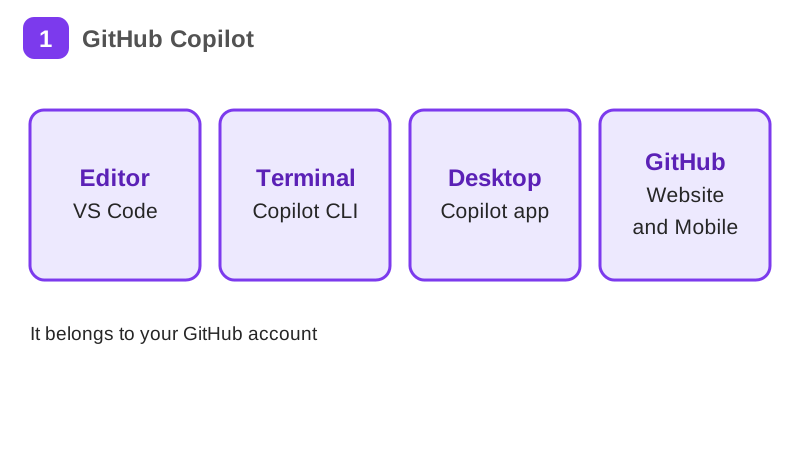
- Copilot in VS Code
- Copilot beyond the editor
- Your code and your data
- Codex plans and install
and 5 more pages
Finish with a short quiz to earn your certificate.
More in Technical founder
- Vibe coding: build a small app with an AI coding tool27 min · 12 pages
- Building apps with Lovable26 min · 10 pages
- Git & GitHub for beginners38 min · 11 pages
- Getting started with Claude Code30 min · 15 pages
- Web development fundamentals50 min · 11 pages
- API fundamentals49 min · 11 pages
- AI engineering fundamentals58 min · 12 pages
- Supabase: build a backend without backend code43 min · 11 pages
- Vercel: deploy and ship fast26 min · 11 pages
- Cloud fundamentals31 min · 11 pages
- Cybersecurity fundamentals37 min · 11 pages
- Build your own bot with the Grok API36 min · 11 pages
- Take payments with Stripe29 min · 11 pages
- Cloudflare for small projects: domains, DNS and Workers25 min · 10 pages
- Build apps with v0 and Bolt37 min · 11 pages